Citizen Portal
The fastest way to government services. Anytime and without queues.


Services and functions of the Citizen Portal
Connection to the databox
Connect all your databoxes with the Citizen Portal and manage all communication in one place and under one login.

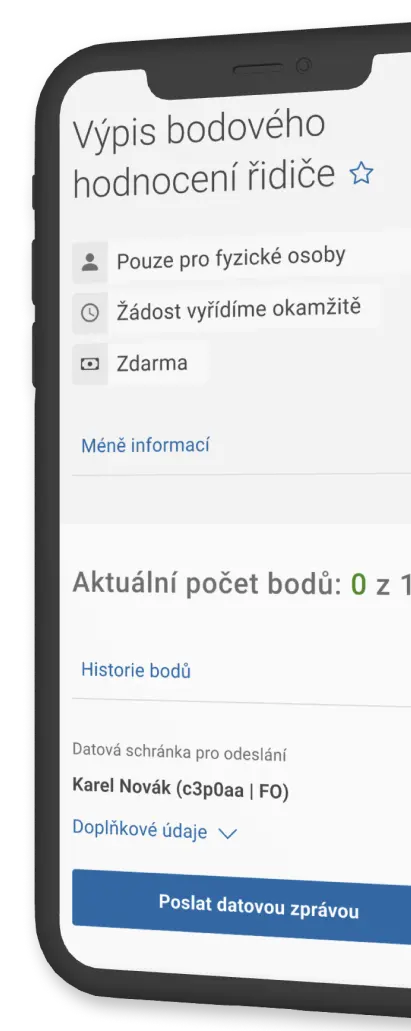
Overview of point evaluation and vehicles
Find out the status of your point evaluation with a list of violations. In the road vehicle register, you will find information on all owned and operated vehicles.
Notification
In the Citizen's Portal, we will notify you of the upcoming expiry of documents and other important deadlines. You can also be notified by email or SMS.
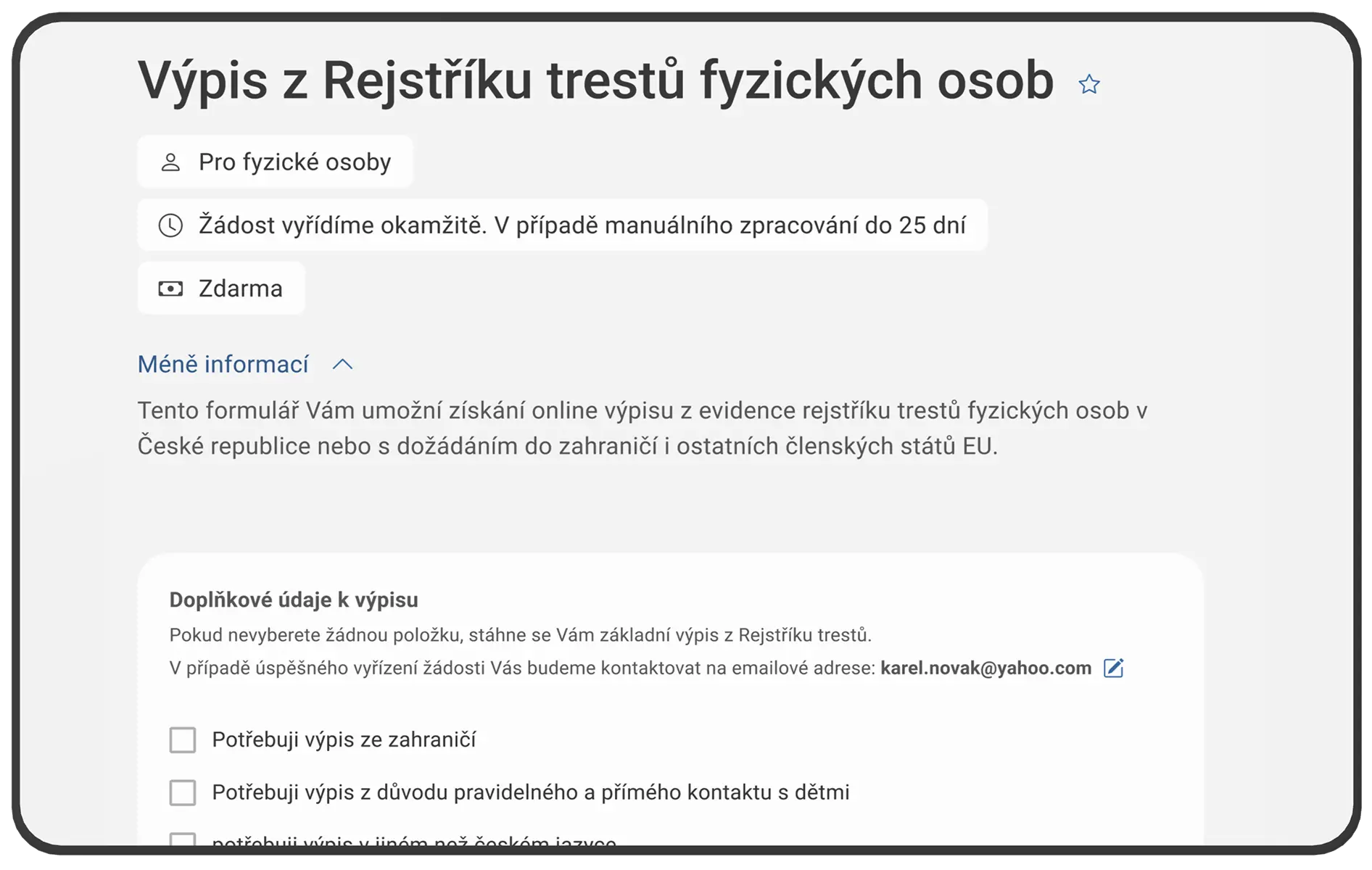
Criminal record
Request a record from the criminal registry online and for free. You can also request other available records, for example from the driver's point evaluation or from the trade register. You can download the records in PDF format.
Documents
You have your identity card, passport, and driver's license in one place. In addition, you can upload other documents of your own.
DROZD
The DROZD service is available only in the Citizen Portal application. You can easily register and manage your trip abroad in it.
ePetition
ePetition is the only state-recognized form of electronic petition. See if there are any available that are worth signing or start your own.
What will I save by using the Citizen's Portal?
We recommend  In the Citizen's Portal |  In the government office. | |
|---|---|---|
Free of charge | Charged | |
Free of charge | Charged | |
Free of charge | Charged | |
Free of charge | Charged | |
Free of charge | Charged | |
Free of charge | Charged | |

Why connect a databox to the Citizen Portal?
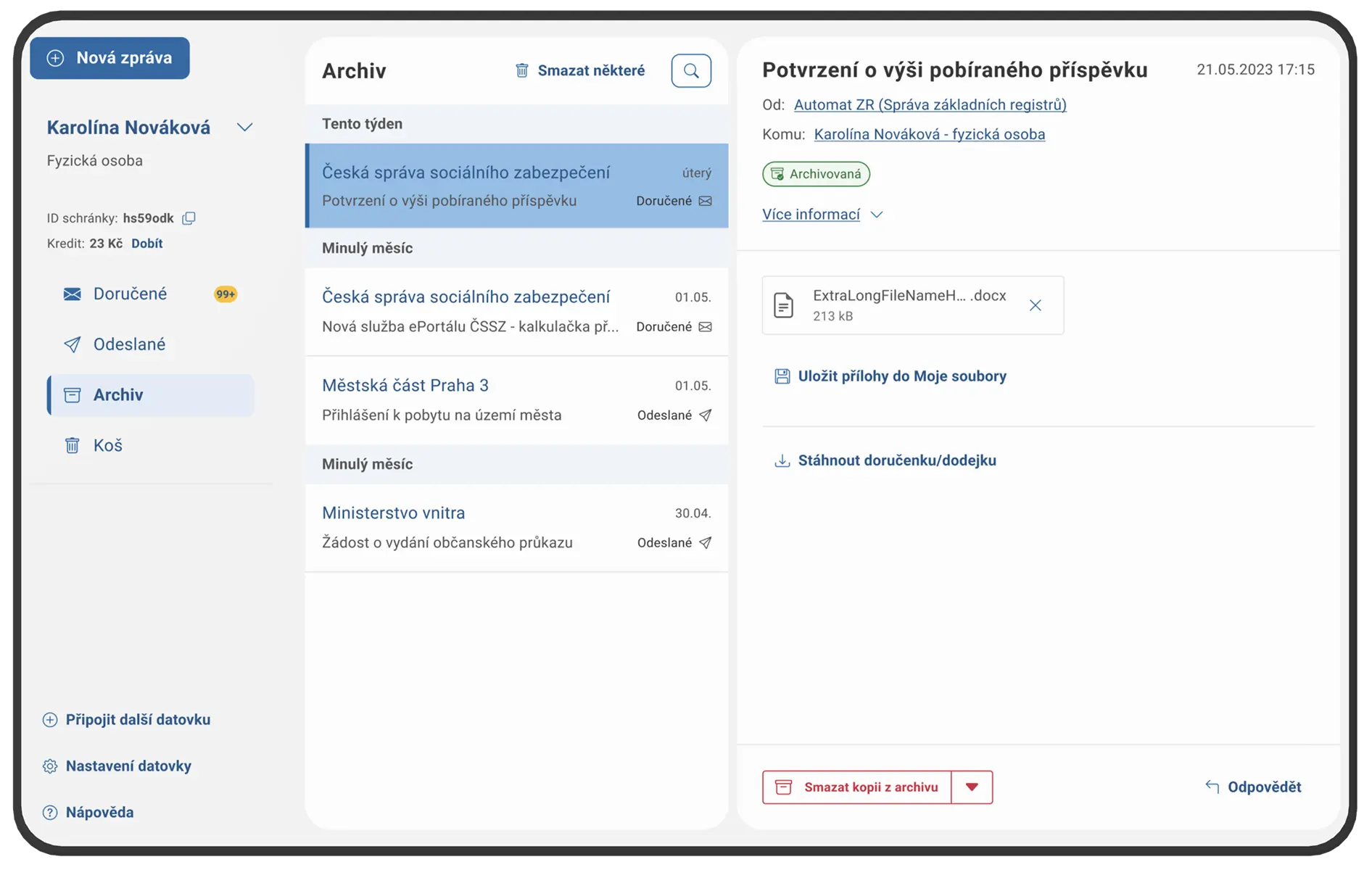
Archiving messages after 90 days
Keep your data messages even after 90 days. You never know when they will come in handy. All you have to do is connect your databox to the Citizen's Portal and turn on the archiving of messages. It's completely free.
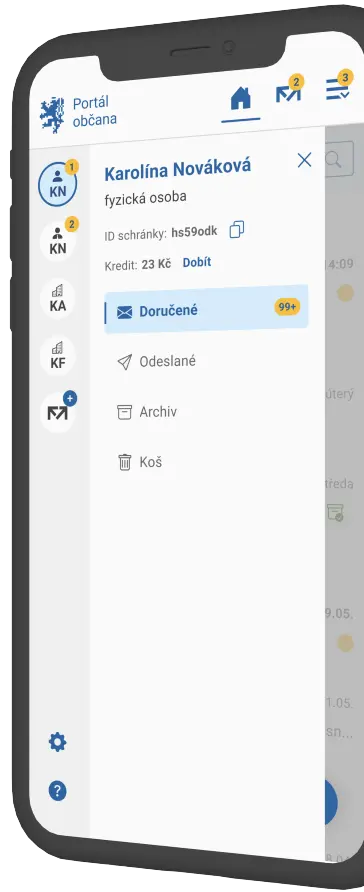
All databoxes in one place
Access all your databoxes from one place. Whether it is a personal or legal person's databox, they can be easily switched in the Citizen's Portal.
Notification
Don't miss any important messages. Especially those with an official deadline. Turn on notifications in the form of an SMS message or in your e-mail.
Easy access
Connect your databox to the Citizen Portal. It is managed and used in a similar way as a traditional e-mail. It is easy to access not only from a computer but also from a mobile phone.
F&Q
How to log in to the Citizen Portal?
First, it is necessary to prove your identity when logging in. You can log in using any means of Citizen Identity (e.g. Mobile eGovernment key or bank identity ) or a databox.Is my data safe here?
Yes. The Citizen's Portal displays your data, which is safely stored in public administration information systems and only you have access to it. When you log in, the data is loaded, when you log out, it is deleted from the Citizen Portal. Therefore, always make sure that you log out correctly.Can I access all public administration portals from one place?
Yes , you can. After logging into the Citizen Portal you will see icons on its home page, with which you can easily log in with Citizen Identity to selected public administration portals.
In the Citizen Portal, you can search for and add to your favorite services the icon of your municipality portal, your region, or another office.Can I connect my databox to the Citizen Portal?
Yes. Just by connecting a databox (or multiple databoxes) to the Citizen Portal, you get a convenient tool for electronic communication with the state. You can also use the Citizen portal to receive, send, and archive data messages.
In contrast to databox pages, not only message archiving but also SMS notifications are free about receiving messages in your databox.The same rules apply to the use of the data box in the Citizen Portal as in the data box client account.Does it also work as a mobile app?
Yes. The citizen portal also works as a mobile application and is available for Apple and Android .Can the Citizen Portal be used even without a databox?
Yes, the Citizen Portal is not linked to a databox.Have you encountered an error while using it? Report it to us.
Have you discovered an error in the Citizen Portal settings and want to share it with us? This makes us happy, a fine-tuned portal is our common goal. Below you will find the procedure to inform us about the detected error.
If you just want to report a bug to us, it helps if you take a screenshot of your entire screen - on Windows it's easiest with the Clipboard app on Mac again with the shortcut SHIFT+COMMAND+4 . A picture taken. with a brief description, send via form or to e-mail portalobcana@dia.gov.cz.
But the most helpful thing you can do is to find and indentify the error.... How to do it?
open the developer tool in your browser. In Windows you do this by pressing CTRL+SHIFT+I (letter i), on Mac right-click anywhere in your browser and select "Explore". The developer tool is not available in mobile browser apps.
In the top menu, open the "Network" tab and in the second line check the option "Preserve log" or "Persist logs" – options vary by browser.
Now retry the procedure where the error occurred.
Now just take a screenshot so that both the error and the developer tool can be seen.
Please send us a screenshot via form or to e-mail portalobcana@dia.gov.cz , in which enter a description of the problem, a description of the procedure that led you to the error and information about the browser used.
You may be looking for
Databox
Communicating with the state has never been easier. Start a databox and you no longer have to deal with office hours. In addition, you will not pay for messages to the state authorities.
Citizen identity
You can log in with the eGovernment Mobile Key, NIA ID, bank identity or other means that connect you not only with the state administration.
eDocuments
The plastic documents are outdated. A new era of identity proof is coming. You can now have all the data from your ID on your phone.