
Creating ePetition
Is this service available in the app?
This service is not yet available on the mobile app. You can use it in the web version of the Citizen Portal.
What you need
- Being a natural person or representing a legal person as a member of a statutory body
- Citizen identity for logging into the Citizen Portal
- Text of the petition
- Details of the addressee of the petition (name or databox ID)
How to do it
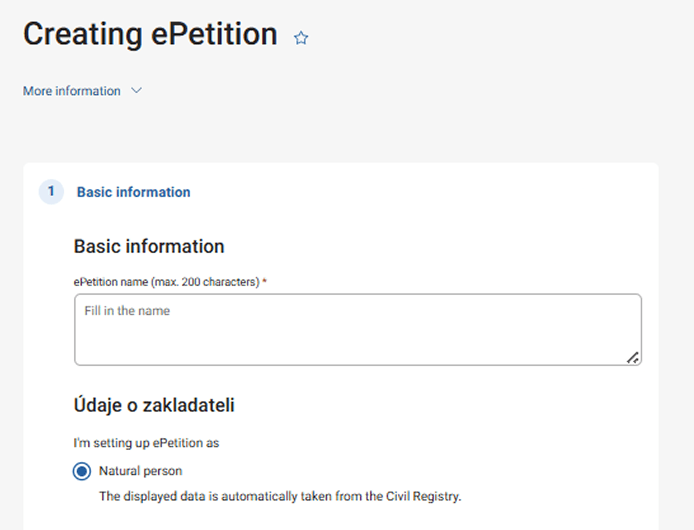
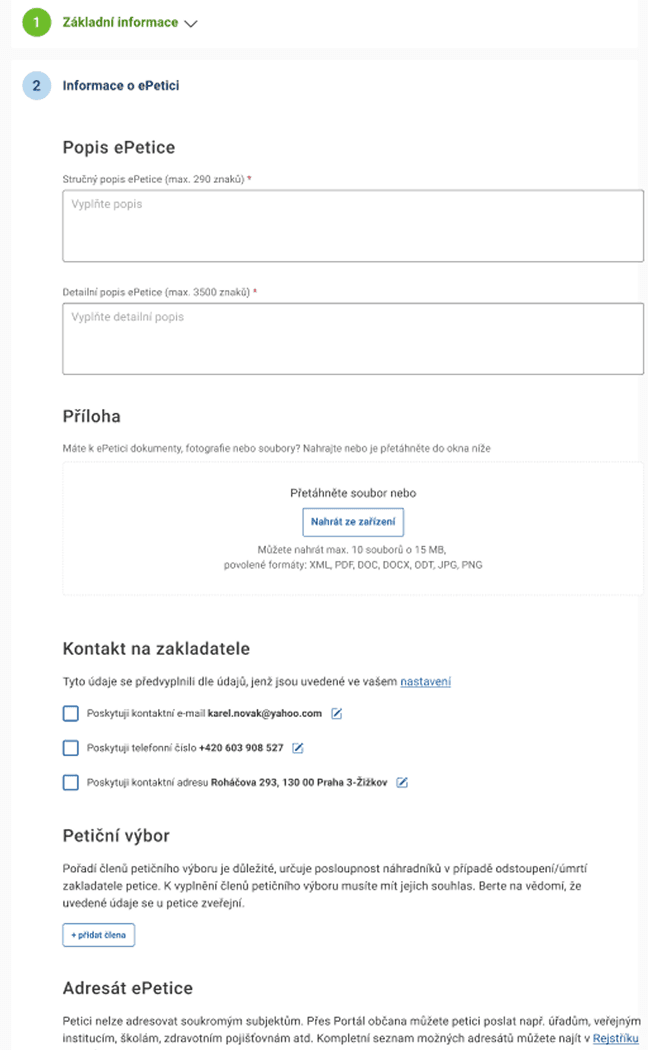
Log in to the Citizen Portal, enter the mandatory data, you can also add optional data. Then carefully review the Recapitulation and choose what you want to do with ePetition. You can create it to make it public, save it and return to it later, or delete the draft in progress.
What to be aware of
The created ePetition is automatically signed by you.
A legal entity can only set up an ePetition if it relates to the subject of its activity, e.g. business or charitable.
ePetition cannot be used as a marketing tool.
ePetition sumbisson
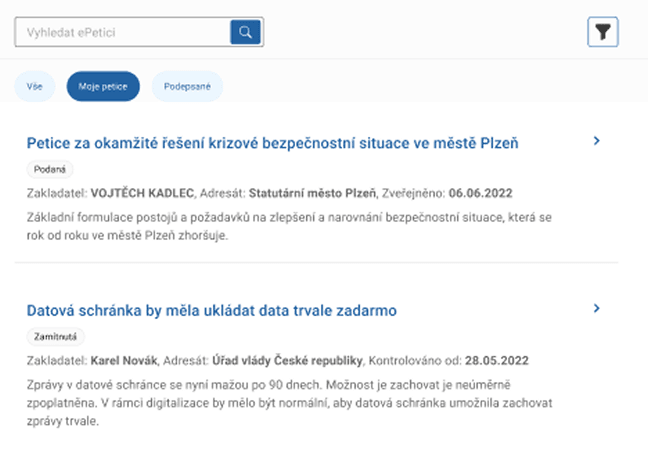
An ePetition can only be submitted to the addressee you specified when creating the ePetition.
How to do it
After collecting signatures, send it to the addressee's databox or you can download the ePetition and send it in another way. But always only electronically. ePetition cannot be mailed or handed over physically.
You can make the submission in the preview of your ePetition. First, submit the ePetition by clicking on "Submit". Then below, select how you want to submit your petition.
What to be aware of
The ePetition has the end date you specified when you created it. If you have not collected enough signatures by this date, be sure to extend the deadline by 3 months in the ePetition preview.
ePetition cannot be used as a marketing tool.
You may also be interested in
What is the use of ePetition?
ePetition provides a convenient option to create, sign and submit a petition electronically. Unlike existing online petitions, the ePetition has full legal binding force, i.e. it is comparable to paper petitions in terms of legislation, and each click on the "Sign the petition" button within the ePetition is considered an unambiguous expression of support for the petition by the authenticated user. The biggest advantage of ePetition is the computerisation of the entire petition process. Setting up, signing and filing can be done from the comfort of one's home and there is no need to deal with paper if you do not want to. Only with ePetition is the verification of every signature on a petition guaranteed and there is a complete absence of fake names or duplicate signatures.
Do ePetitions apply only to the Czech Republic?
Yes, according to Act No.85/1990 Coll., on the Right to Petition, as amended by Act No.261/2021 Coll., ePetition was created as a supplement to the existing possibility of submitting paper petitions addressed to Czech public authorities, such as authorities, public institutions, schools, health insurance companies and other entities listed in the Register of Public Authorities.
How to create ePetition?
In the Citizen Portal, after logging in via the Citizen Identity, you will find the ePetition tab in the FILING section. All petitions entered into the ePetition system are listed there. At the top, click on the Create Petition button. You can prepare the petition at your own convenience, but once you post it, you cannot edit the petition. Any changes would mean closing the petition and starting a new one. For details, see the article on ePetitions.
How to sign an ePetition?
You can create an ePetition in the Citizen Portal either under your own name or on behalf of a legal entity (company, association, etc.) if you are a member of its statutory body. The ePetition tool is used exclusively to submit a petition in accordance with Act No. 85/1990 Coll., on the right to petition. It is not intended for the creation of other submissions or actions within other submissions (e.g. for collecting signatures in support of candidacy in elections or collecting signatures in support of registration of a political party or movement).
Are the created ePetitions freely available?
Yes. A list of all petitions can be found on the Public Administration Portal and in the list of petitions on the Citizen's Portal. Only in the Citizen Portal can a petition be signed.
How can I submit a created ePetition?
Once the collection of signatures is complete, you can close the petition and simply send it to the recipient using the databox linked to the Citizen Portal, or you can download the closed petition to your computer and send it to the recipient in another way.
Is it possible to form a political party or movement using ePetition?
The ePetition tool is used solely to submit petitions pursuant to Act No. 85/1990 Coll., on the Right to Petition. It is not intended for the creation of other submissions or actions within other submissions (e.g. for collecting signatures in support of candidacy in elections or collecting signatures in support of registration of a political party or movement). For questions about ePetition, please contact the Elections Department of the Ministry of the Interior by email at volby@mvcr.cz