
Databox disconnection
Is this service available in the app?
This service is available on the Citizen's Portal mobile app, so you can use it directly.


What you need
- Connected databox in the Citizen Portal
How to do it
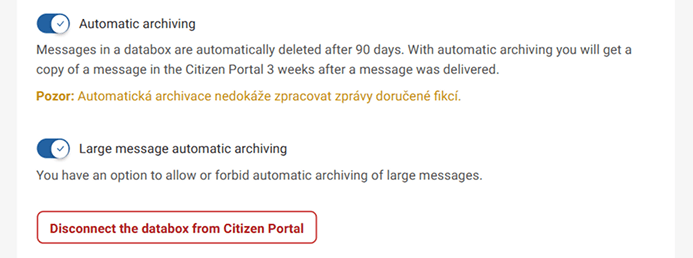
Log in to the Citizen Portal and click on the Databox tab in the top right corner of the page. This will open a page where you can find your connected databox or multiple connected databoxes. Below the list of databoxes, you will find the "Databox settings". There you will find the databoxes you have connected and the "Disconnect databox from the Citizen Portal" button for each of them.
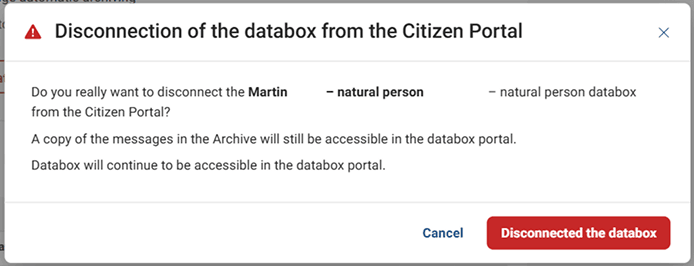
Clicking the button will disconnect the databox from the Citizen Portal.
What to be aware of
When you disconnect your databox from the Citizen Portal, you will no longer receive notifications of new messages that you have set up in the portal. When you disconnect your databox from the Citizen Portal, you can still access it in the Databox Client Portal.
Is it possible to disconnect and reconnect a databox in the Citizen Portal?
Yes.