
eDoklady
Is this service available in the app?
This service is available on the Citizen's Portal mobile app, so you can use it directly.


You may be also interested in
How do I block eDocuments if my phone is stolen?
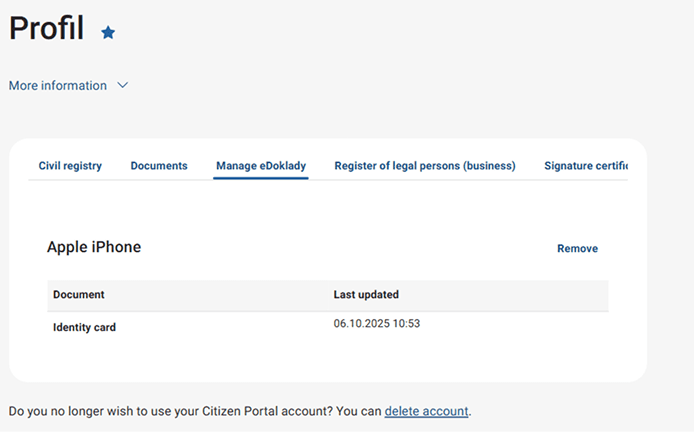
If your phone is lost or stolen, you can disconnect the eDocuments app in the Citizen Portal, which will cancel your registration on that device and prevent anyone from accessing the app.
What does last updated mean for the document?
The update date tells you the last time the document was updated in the application (e.g. you started the application when you were connected to the internet).
What happens if I disconnect my device from eDocuments?
This will cancel the registration of the app on the device, and the app will have no proof and will not be able to be used for verification.
Can I see the app installed on the Citizen Portal even if I am the validator?
If you use the mobile app in the authentication section as a legal entity or business or as an authority, you will not see your device here.
Where can I find out more about eDocuments?
More information can be found at edoklady.gov.cz.