
Identity card
Is this service available in the app?
This service is available on the Citizen's Portal mobile app, so you can use it directly.


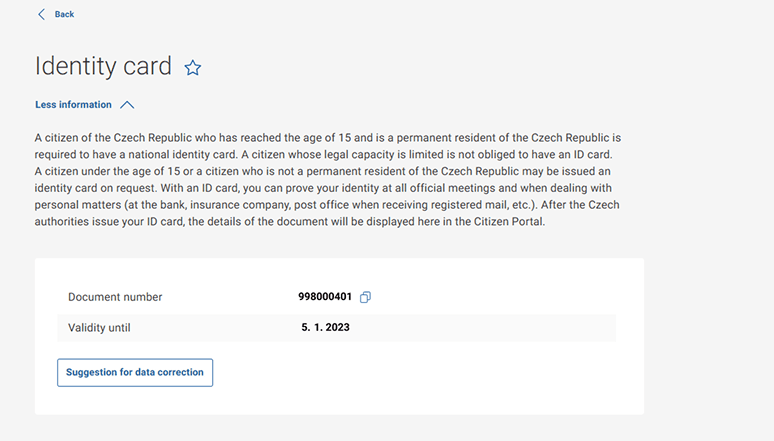
Furthermore, the Citizen Portal can monitor the expiry of the ID card. You will be notified by SMS or email when your ID is about to expire. Just turn on the notifications in the settings and you will never have to check the expiry date again, the Citizen Portal will do it for you for free.
You cannot apply for a new ID card electronically in the Citizen Portal yet.
If you already use the Citizen Portal and want to be notified when your documents expire, just go to the settings to activate this feature.
Useful links
What is the relationship between eDocuments and the Citizen Portal?
eDocuments is an application where you can upload your ID card and use it to prove yourself. Soon you won't have to carry a plastic card. For more information about the eDoklady app, visit edoklady.gov.cz.
In the Citizen Portal, you can find your ID card in Documents, and you can also use the Citizen Portal to retrieve eDoklady from your lost device if you lose your mobile phone.
However, you cannot use the Citizen's Portal or the Citizen's Portal mobile app to prove yourself, e.g. at a road check or when entering the office.
Can I apply for a new ID card electronically?
Unfortunately, this is not possible at this point.
Will my ID card expiry notifications be sent automatically?
If you have a Databox (for natural persons), you will automatically receive a notification 60 days before the expiry date in your Databox. You can also set up automatic notifications to be sent to your phone number via text message or email in the Citizen Portal under Settings. You will also be notified when your document expires when you log in to the Citizen Portal. For more information, see Notifying the holder of the expiry of the ID card.
Can I present my ID card using an e-version?
The eDocuments mobile app is used to electronically present your ID card during a physical check, where you can upload your document. It is also possible to activate your ID card when collecting a new document to log in to online services via Identity of the Citizen using the eObčanka app (this is not the eDoklady app).
Are eCitizen and eDocuments the same thing?
No, they are two different services. eDocuments is a mobile app that is used for proving yourself during a physical check. eObčanka is part of the ID card and is used to log in to online services.