
Logging in to the Citizen Portal
Is this service available in the app?
This service is available on the Citizen's Portal mobile app, so you can use it directly.


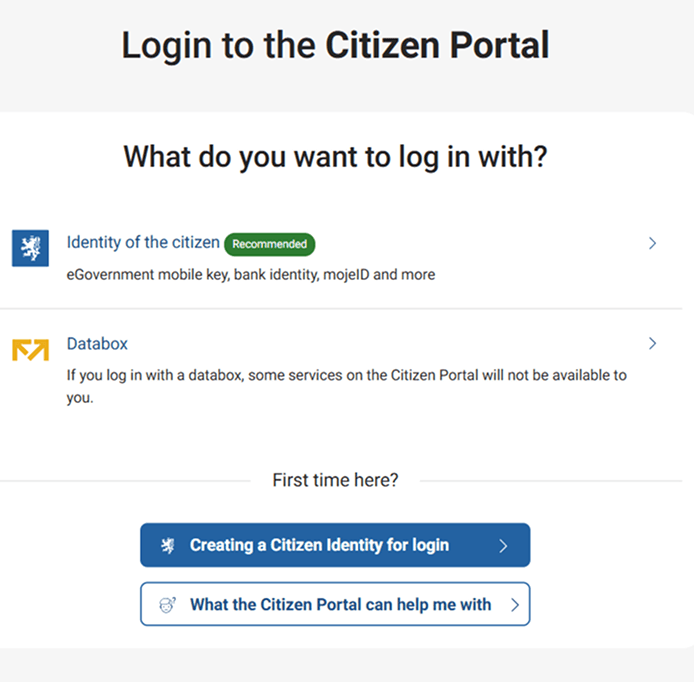
Citizen identity is used for secure and easy login to various state and public administration portals. It includes, for example, the eGovernment Mobile Key, NIA ID, bank identity and other means of identification, which you can use to reliably prove your identity when logging in.
A list of each identity, how to set them up and which public portals you can log in to with them can be found at chciidentitu.gov.cz.
The databox allows you to log in to the Citizen Portal with the same credentials you use to log in. However, this login will only provide you with a limited number of services. For the rest, you will be asked to log in using Citizen Identity, which also allows you to access external portals without having to log in again. This is because the Citizen Identity is more conclusive than a databox.
Ideally, you should log in to the Citizen's Portal using the Citizen's Identity, which will allow you to make full use of electronic public administration services.
You may be also interested in
Is using Citizen Identity free?
Yes, setting up and using the Citizen Identity is completely free of charge. Some login methods may require some upfront investment, such as owning a smartphone or purchasing a hardware security key, but there is no charge for the service itself.
I have a banking identity. Why can't I log in to some services?
The Bank Identity can only be used within the Citizen Identity to log in to state and local government services. Thus, logging in with a bank identity may not work, for example, with health insurance portals or some subsidy portals. The solution is to set up an eGovernment Mobile Key or NIA ID using your bank identity in the Citizen Identity portal.
Is the Citizen Identity also accessible to blind or partially sighted people?
Yes. Citizen Identity's identification devices meet the legal requirements for accessibility of websites and mobile applications, so that people with disabilities, who are often disadvantaged by their disabilities when using websites and mobile applications, can also use these services through assistive technologies.
My Citizen Identity login is not working, who shall I contact?
In this case, it is best to contact your identification provider directly. In the case of state means (Mobile Key, NIA ID and eObčanka), please contact the SZR Service Desk by phone on +420 227 023 444. It may also be a temporary technical error on the side of the Citizen Identity Portal or the basic registries. We inform about all possible outages on this website.
I am a foreigner, can I set up my Citizen Identity?
Yes, you can if you have permanent or temporary Czech residence, a visa, temporary international protection or international protection.
For a more detailed procedure for setting up state identification means for foreigners, please visit the Information Website or individual identification means providers, a list of which can also be found on this website.