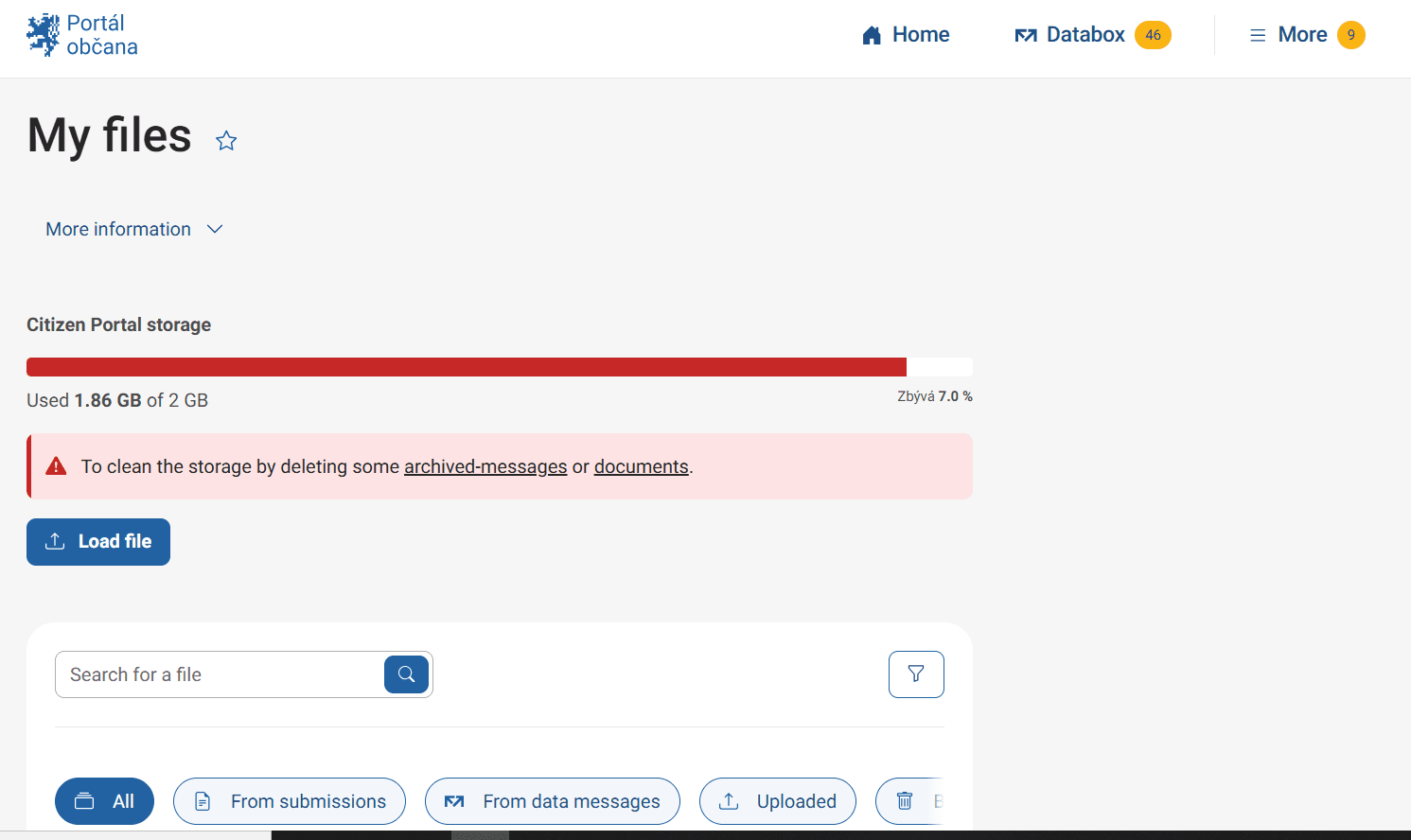
My Files

mobile appweb environment

In the Citizen Portal, you can save files that are securely encrypted and only you can access them. You can find my files by expanding the menu under "More" in the top right corner of the page. This storage is 1 GB in size and you can store files from data messages and submissions as well as files from your PC, tablet or mobile phone. You can keep attachments from data messages and emails together. You only need to keep one file under 20MB and in one of the following formats : PDF, XML, FO, ZFO, HTM, HTML, ODP, ODT, ODS, TXT, RTF, DOC, DOCX, XLS, XLSX, PPT, PPTX, JPEG, JPG, JP2, JFIF, PNG, TIF, TIFF, GIF, MPG, MPEG, MPEG1, MPEG2, MP1, MP2, MP3, WAV, ISDOC, ISDOCX, EDI, DWG, SHP, DBF, SHX, PRJ, QIX, SBN, SBX, DGN, GML, GFS, XSD, CER, CRT, CSV, DER, P7B, P7C, P7F, P7M, P7S, TSR, TST. Antivirus scanning will take place during upload, so you don't have to worry about your files being unsafe. In My Files you will find archived data messages, as well as files from your completed submissions that you have made in the Citizen Portal.

Proceed to the Citizen Portal

Is this service available in the app?

This service is available on the Citizen's Portal mobile app, so you can use it directly.

my files.PNG

You may be also interested in

Are my saved documents and data safe?

Yes, your stored documents are securely encrypted and only you have access to them.

How does deleting documents work?

When a user selects the "Trash" icon for any of their documents, submissions, calendar events, or archived data messages, the data is moved to the Trash. From there, they can be retrieved until they are permanently deleted either automatically (after 30 days) or by user choice. However, data messages automatically deleted after 90 days are not moved to the trash.
The Trash link is used to manage deleted data. Here you will find an overview of deleted items with filtering and sorting options. The items displayed can be individually restored or permanently deleted.

Is document storage free?

Yes.