
My Land Registry
Is this service available in the app?
This service is available on the Citizen's Portal mobile app, so you can use it directly.


What you need
- Being a natural person, not a legal entity (corporation, foundation, etc.)
- Citizen identity for logging into the Citizen Portal
How to do it
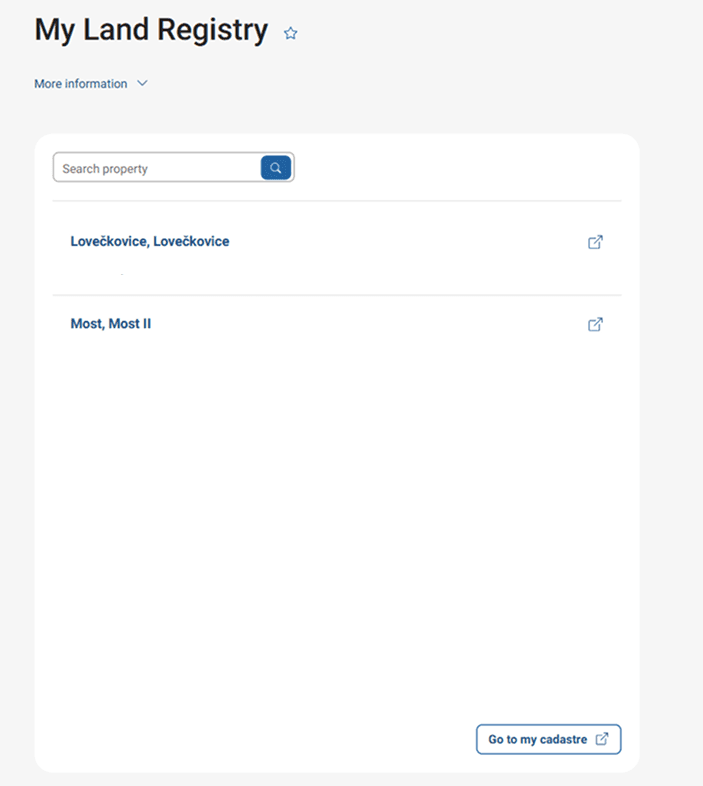
On the homepage of the Citizen Portal, type "My Land Registry" into the search engine.
If there are any properties registered under your name in the Land Registry, you will see a summary of them. The data is structured according to the number of the title deed. Clicking on the LV number will open a page with basic information directly in the ČÚZK application.
You may be also interested in
How do I get a record from the Land Registry?
As a user logged into the Citizen Portal, you can use the link on the Go to My Registry button to view the complete set of information, which will redirect you to the Land Registry page, where you will find more detailed information about the data currently recorded in this register with the possibility of obtaining a record. The electronic provision of data from the Land Registry in the form of an electronic record, including administrative fees, is already managed by the Land Registry portal under the administration of the Czech Office of Surveying and Cadastre (ČÚZK) and this service is not available on the Citizen Portal.
Where can I set up tracking of changes in the Land Registry?
Tracking changes in the Land Registry can be set up directly in the Land Registry Portal (ČÚZK) according to the instructions. For more information, please contact ČÚZK user support (only in Czech) directly or by phone on +420 284 044 455.
Where can I find more detailed information about the Land Registry?
Detailed information can be found on the official portal of the Land Registry administered by the Czech Office of Surveying and Cadastre (ČÚZK).