
Record from the Trade Register
Is this service available in the app?
This service is available on the Citizen's Portal mobile app, so you can use it directly.


What you need
- Being a natural person, not a legal entity (corporation, foundation, etc.)
- Citizen identity for logging into the Citizen Portal
- Databox connected to the Citizen Portal
How to do it
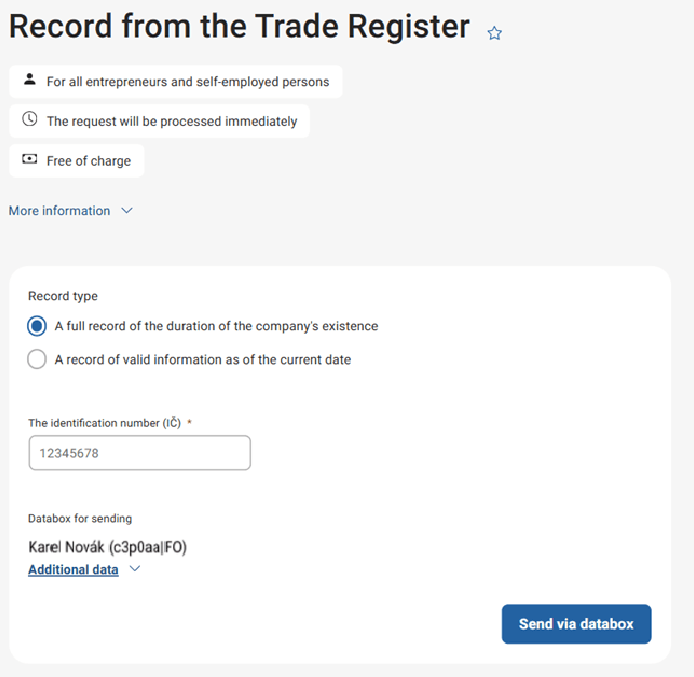
Log in to the Citizen Portal and make sure your databox is connected. Then just click on "Send by data message" and pick up your record in your databox.
In what format will I recieve the record
It will be delivered to your databox in PDF format.
What to be aware of
Specify the correct type of record you require. So you don't have to worry later that the record doesn't have the necessary details.
You may also be interested in
What is the Trade Register? And where can I find more detailed information?
The Trade Register is a public administration information system that collects and manages data about individuals and entities engaged in business activities. It records both public information (such as name, business ID, and business scope) and non-public details, including residential addresses or personal identification numbers.
You can find more detailed information in the article Provision of outputs from the Trade Register and on the Trade Licensing Portal.
What is the purpose of this extract?
The extract provides information and data recorded in the Trade Register about the applicant or another person.
I found an inconsistency in the extract. Where should I report it?
Incorrect data can be reported electronically on the Trade Licensing Portal using the Data Correction form. Alternatively, you can contact your local Trade Licensing Office.
Where can I find information on how to register a trade?
See the article Establishment of a Trade License or visit the Trade Licensing Portal.
Where can I make changes to my trade?
You can find the necessary information and procedures in the article Changes to a Trade at the Initiative of the Entrepreneur or on the Trade Licensing Portal.
