
Navigation on the Citizen Portal
Is this service available in the app?
This service is available on the Citizen's Portal mobile app, so you can use it directly.


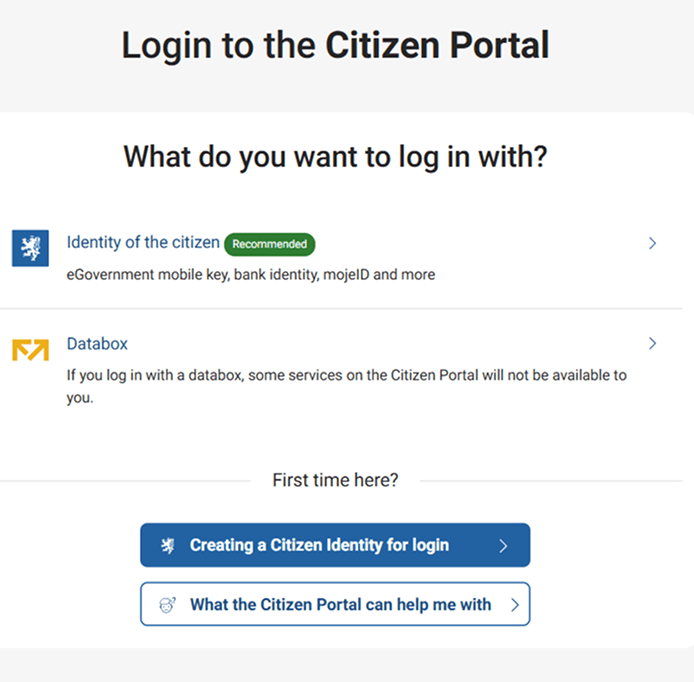
Login page
You must log in to the Citizen Portal for security reasons. There must be certainty that the service is being provided to the person who has actually logged in.
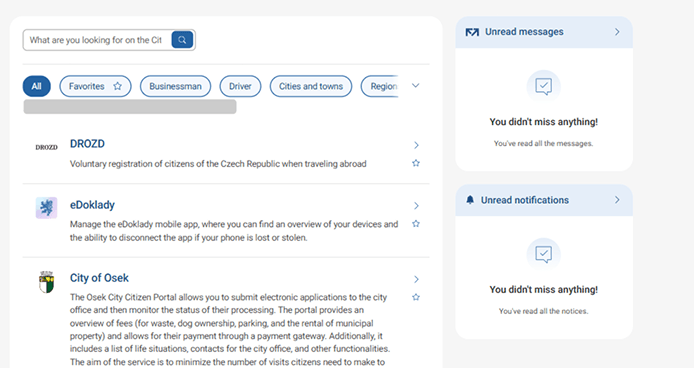
Homepage
Once logged in, you will be redirected to the homepage.
Most often, the purpose of logging in is to process a service. Therefore, the services are immediately sorted from the most frequently used ones on the homepage. Finding what you are looking for in the fastest way is also helped by the search on the top left or by dividing it into categories:
- Driver - services for vehicle owners and licence holders
- Entrepreneur - services for natural and legal persons, including self-employed persons
- Cities and municipalities - services provided by local governments, mostly municipalities, city and regional authorities
- State administration - services provided by state administration agencies
If you use some services repeatedly and others not at all, it is easiest to mark the services you use with an star and add them to your "Favourites" category.
You can filter all categories at the top left, just below the search bar.
The home page also lists your last received messages and notifications, including highlighting those you haven't read yet. You will therefore know right away, for example, whether someone is trying to reach you or what the delay is in processing requests.
At the very bottom you will find a list of frequently asked questions and answers that may help you too.
"More" opens the information section of the Citizen Portal, where you can find profile settings, an overview of notifications or manage your profile details.
And on the top right you will find access to two other parts of the Citizen Portal - "Databox" and "More".
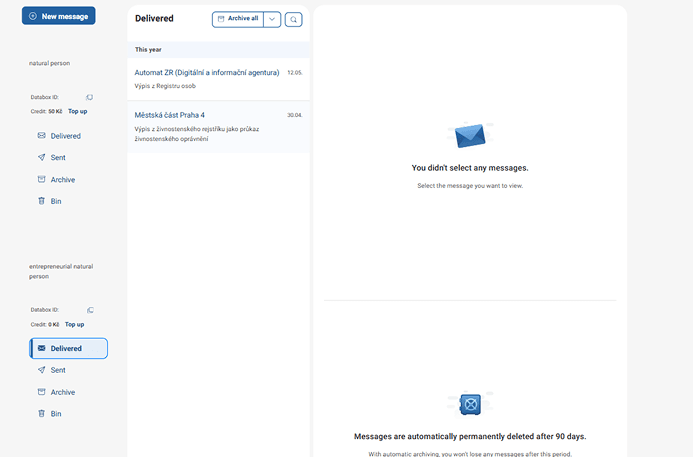
Databox
A databox is essentially your electronic communication with the state and all its institutions - for example, the authorities or the courts.
Connecting a data box to the Citizen Portal will allow you to electronically handle a number of official matters that you would otherwise have to deal with in person at the office.
You can connect your data boxes to the Citizen Portal and conveniently manage your data boxes here under one login. You also get the possibility to archive your received messages for free.
The databox connected to the Citizen Portal can do more than the databox itself. It is a complex service and is thus the subject of a separated chapter.
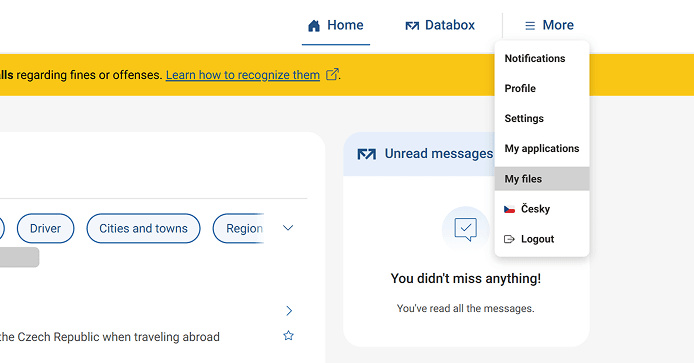
Menu items
You can find them by clicking on "More" in the top right corner.
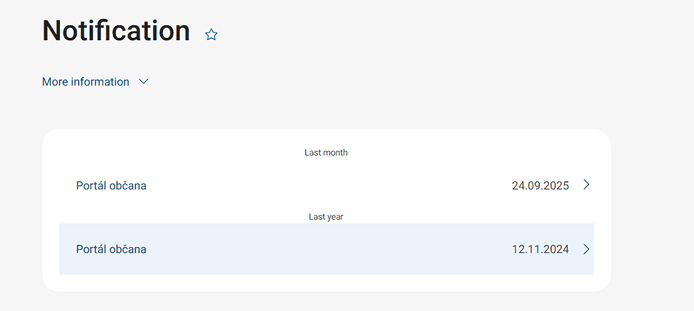
Notifications
Here you will find the status of your applications submitted from the Citizen Portal. For example, information about the expiration dates of your documents, notifications about tax liability, news about the portal... In short, all the important notifications in one place.
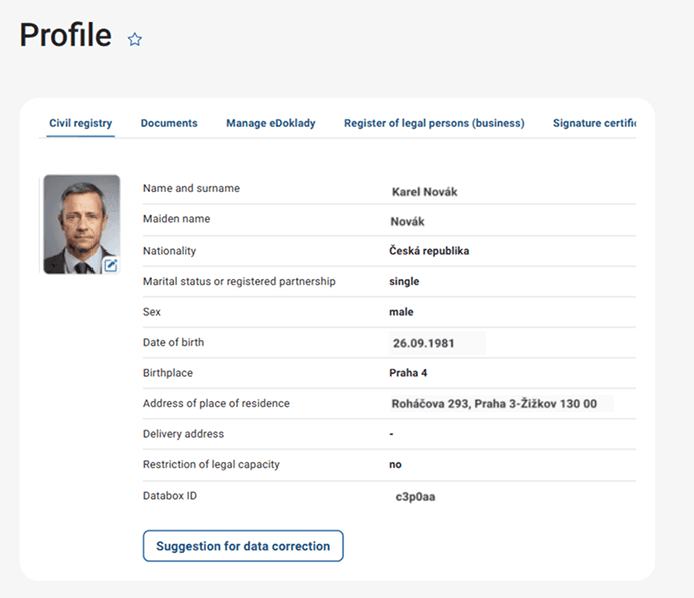
Profile
The place where you can find the data kept on your person. You can also request a correction here.
Above your photo, you can click on eDocuments, information from the Register of Persons, or the certificates you have stored.
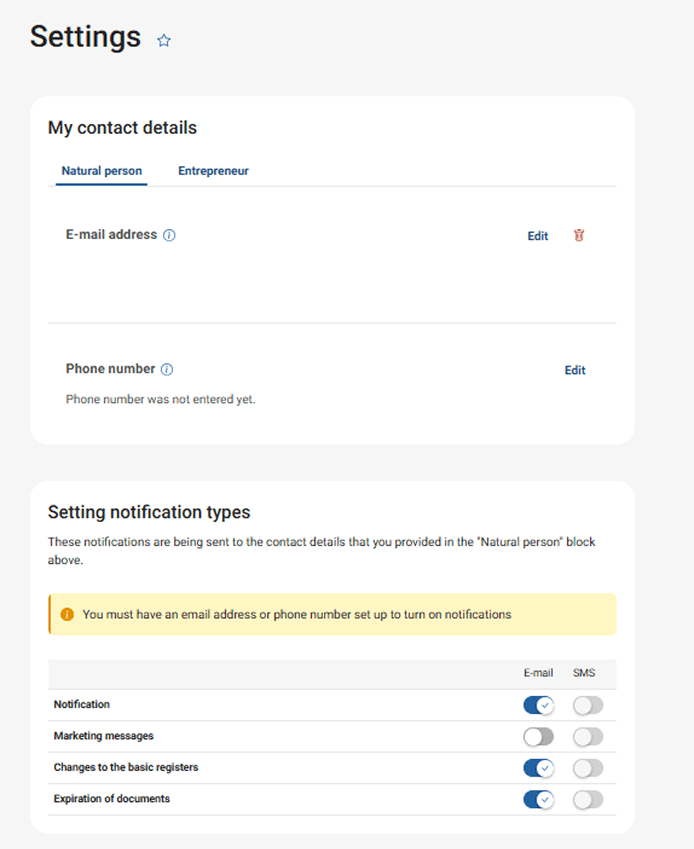
Settings
Clicking on "More" will open a menu that will show you how to set up your profile in the Citizen Portal.
In the first place you will find your contact details, which you can add your email and phone number. The portal will then send you notifications to these contacts, the scope of which you can set just below the contacts.
In the settings you will also find the option to manage the connected databox. You can set up notifications for new messages, either by SMS or email. The citizen portal can also forward the entire data message to you. In this case, however, the message is considered read and you lose the 10-day legal deadline. If you are not happy with the data message in the Citizen Portal for any reason, you can also disconnect it from here.
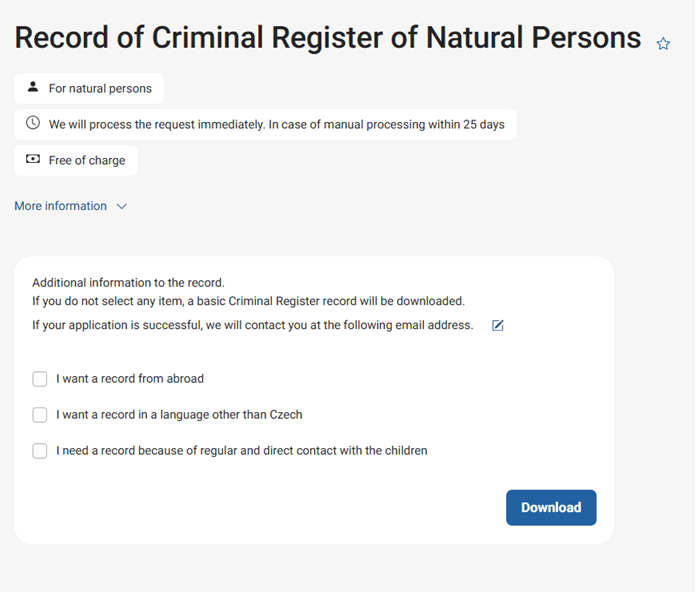
eSubmissions
In the Citizen's Portal, you can make free electronic submissions such as a criminal records and other services.
You can find a list of the services you have used in the Citizen Portal in the past in the My Submissions tab. Also with the status of processing listed.
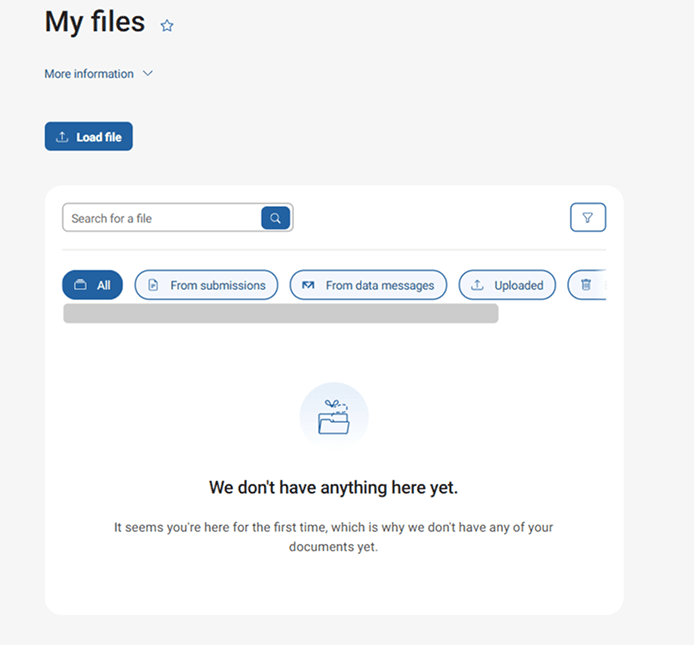
My Files
This storage is 1 GB in size and you can store files from data messages and submissions as well as files from your PC, tablet or mobile phone. You can keep attachments from databox messages and e-mails together.
Antivirus scanning will take place during upload, so you don't have to worry about your files being unsafe.
You may be also interested in
What is the Citizen Portal?
The Citizen's Portal acts as a gateway to the individual electronic services of the state. The need to digitise public administration has led to the creation of a number of projects that needed to be linked into one place so that the citizen can communicate with confidence remotely with all public authorities.